In this article
- Canon LBP6030 Driver Download (Official Canon Links)
- UFRII LT, not CAPT
- 32-bit or 64-bit Windows?
- How to Install the Canon LBP6030 Driver on Windows 11/10
- How to Install the Canon LBP6030 Driver on Mac
- Linux
- Canon LBP6030 Connection: USB Only
- Canon LBP6030 Mobile Printing: Android and iPhone
- Canon LBP6030 Specifications
- Canon LBP6030 Driver Not Working? Common Fixes
- Printer not detected
- The installer will not start or fails
- Faded or blank prints
- Printing on both sides
- Canon LBP6030 Price and Toner in Nepal
- Canon LBP6030 Driver FAQ
- Where can I download the Canon LBP6030 driver?
- Is the Canon LBP6030 driver free?
- Does the Canon LBP6030 driver work on Windows 11?
- Is there a 32-bit Canon LBP6030 driver for Windows 10?
- Is the Canon LBP6030 driver CAPT or UFRII LT?
- Does the Canon LBP6030 have Wi-Fi?
- Can I print from my phone with the Canon LBP6030?
- Which toner does the Canon LBP6030 use?
- Do I need to install the driver again after reinstalling Windows?
- Need Printer Installation or IT Support?
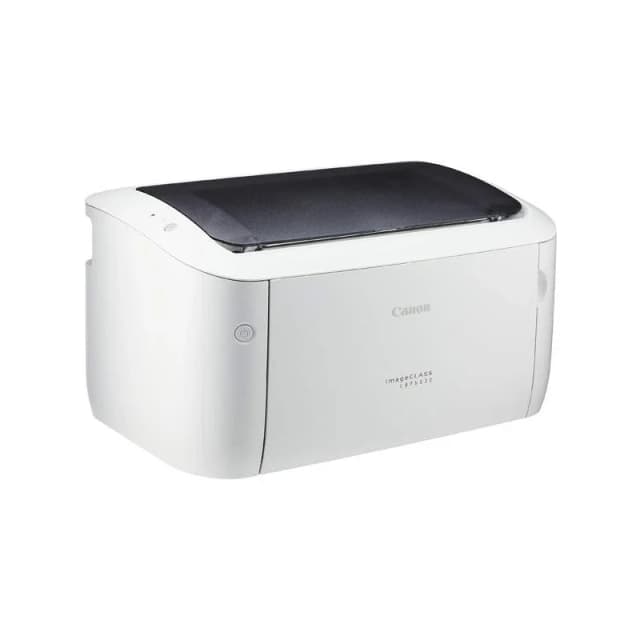
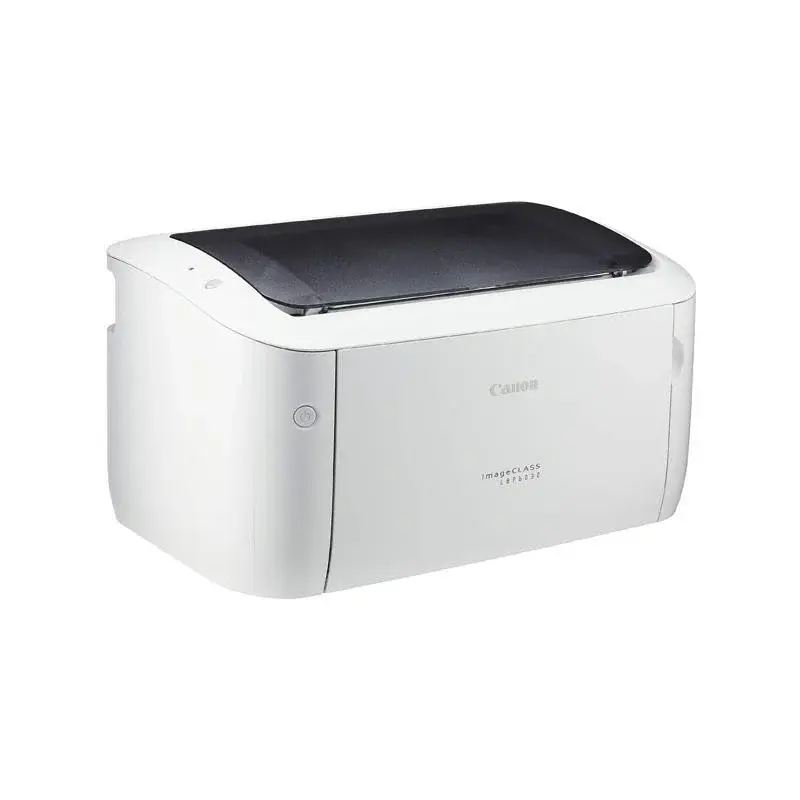
The Canon LBP6030 driver is Canon's free UFRII LT printer driver. For Windows 11 and Windows 10 (64-bit) the current version is V21.11, and Canon also publishes it for 32-bit Windows 10, macOS and Linux. Below are the official Canon download links, step-by-step installation for Windows and Mac, fixes for common errors, and the Canon imageCLASS LBP6030 price and toner in Nepal.
Canon LBP6030 Driver Download (Official Canon Links)
Pick the row that matches your computer. Each link opens Canon's own download page (Canon Asia support), where you accept Canon's disclaimer and download the file. The same drivers cover the LBP6030, LBP6030B and LBP6030w.
Your computer | Driver | Version | Updated by Canon | Download |
|---|---|---|---|---|
Windows 11 and Windows 10 (64-bit) | UFRII LT Printer Driver | V21.11 | 31 Jan 2025 | |
Windows 10 (32-bit) | UFRII LT Printer Driver | V21.11 | 18 Jan 2021 | |
macOS 11 to macOS 27 | UFRII LT Printer Driver (Mac) | V1.5.16 | 13 Oct 2026 |
For macOS 10.15 or older, or Linux, pick your system on Canon's imageCLASS LBP6030 drivers and downloads page. The Windows 64-bit file is LBP6030_V2111_WP_EN.exe (67.80 MB); the latest Mac file is a .dmg disk image (25.54 MB).
UFRII LT, not CAPT
The LBP6030 prints with Canon's UFR II LT printer language, so it needs the UFRII LT driver above. CAPT drivers you may find online are for older Canon models such as the LBP6000 and LBP6018B, not the LBP6030.
32-bit or 64-bit Windows?
On Windows 11 or 10, open Settings → System → About and read System type. Windows 11 comes only in 64-bit, so every Windows 11 computer uses the first row. On Windows 10, “64-bit operating system” means the first row and “32-bit operating system” the second. Most computers sold in recent years run 64-bit Windows.
How to Install the Canon LBP6030 Driver on Windows 11/10
Unplug the USB cable between the printer and the computer. Canon asks you to install the driver first and connect the cable after.
Download the 64-bit driver (Windows 11 or 64-bit Windows 10) or the 32-bit driver (32-bit Windows 10) from the table above and save it.
Double-click the downloaded file. It unpacks itself into a new folder with the same name, in the same place.
Open that folder and double-click Setup.exe, then accept the licence and follow the installer.
Connect the USB cable and turn the printer on when the installer asks for it. Windows finishes setting up the printer.
Print a test page: Settings → Bluetooth & devices → Printers & scanners → Canon LBP6030 → Printer properties → Print Test Page.
Canon says that Windows may show a security confirmation while installing its newer drivers, because Canon now signs them itself; click Install to go on.
How to Install the Canon LBP6030 Driver on Mac
Download the Mac driver from the table (macOS 11 or later: V1.5.16; older macOS versions are on Canon's downloads page).
Double-click the .dmg file to open it, then double-click the installer and follow the steps.
Connect the printer by USB and turn it on.
Open System Settings → Printers & Scanners → Add Printer, select the Canon LBP6030 and make sure the Canon UFRII LT driver is chosen, then click Add.
Linux
Download the UFRII LT Printer Driver for Linux (V5.10) from Canon's LBP6030 downloads page linked above and follow the installation guide included in Canon's package.
Canon LBP6030 Connection: USB Only
The LBP6030 connects by USB 2.0; it has no Wi-Fi or network port. The LBP6030w is the Wi-Fi model of the same printer. To print from several computers in an office, share the printer from the computer it is plugged into, or choose a Wi-Fi printer such as the Deli P1820W.
Canon LBP6030 Mobile Printing: Android and iPhone
The LBP6030 connects by USB only, with no Wi-Fi or Bluetooth, so Android phones and iPhones cannot print to it directly; Canon's phone apps work only with printers on Wi-Fi or a network. What works:
Print through the computer: send the file to the computer the printer is plugged into (WhatsApp Web or Desktop, email or Google Drive) and print it there.
The LBP6030w: the Wi-Fi model of the same printer, which uses the same toner.
A Wi-Fi laser printer with a phone app: the Deli P1820W (Rs. 22,500) or, with copy and scan, the Deli M1820W (Rs. 27,000); both print from phones with the Deli Print app (see the Deli M1820W mobile app guide).
Canon LBP6030 Specifications
Specification | Canon imageCLASS LBP6030 |
|---|---|
Type | Monochrome laser printer (print only) |
Print speed | Up to 18 ppm (A4) |
First page out | Approx. 7.8 seconds |
Resolution | 600 × 600 dpi, up to 2400 × 600 dpi equivalent |
Two-sided printing | Manual |
Paper tray | 150 sheets in, 100 sheets out |
Paper sizes | A4, A5, B5, Legal, Letter, Executive, 16K, envelopes, custom |
Connection | USB 2.0 Hi-Speed |
Printer language | UFR II LT |
Toner | Canon Cartridge 325, approx. 1,600 pages (starter approx. 700 pages) |
Monthly volume | Up to 5,000 pages |
Size and weight | 364 × 249 × 199 mm, 5.0 kg |
Canon LBP6030 Driver Not Working? Common Fixes
Printer not detected
Use the cable that came with the printer and plug it straight into the computer, not a USB hub; try another USB port.
Make sure the printer is on and its lights show it is ready.
Remove the printer in Printers & scanners, unplug the cable, run the installer again and connect the cable only when it asks.
The installer will not start or fails
Check that you downloaded the right file: 64-bit for Windows 11 and 64-bit Windows 10, 32-bit for 32-bit Windows 10.
Download the file again if the first download was interrupted, then run it again.
Right-click the installer and choose Run as administrator.
Faded or blank prints
The toner is running low: take the cartridge out, rock it gently from side to side to spread the toner, and put it back. If the prints stay faded, refill or replace the Cartridge 325.
Printing on both sides
The LBP6030 has manual two-sided printing: print the odd pages, put the printed stack back in the tray as the driver or your program shows, then print the even pages.
Still stuck? Our printer installation and repair service can set it up for you.
Canon LBP6030 Price and Toner in Nepal
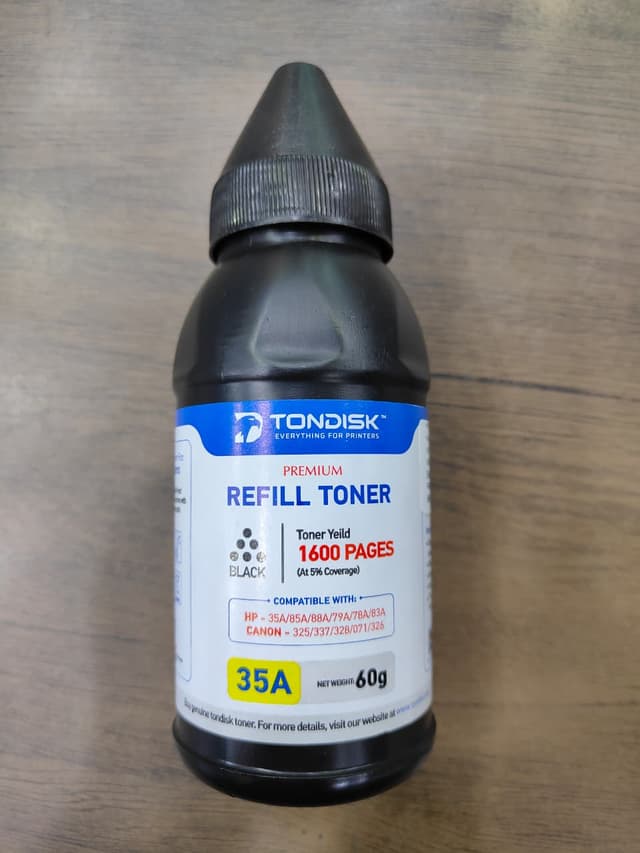
The Canon imageCLASS LBP6030 costs Rs. 20,500 at Proud Nepal (22 November 2026), with a 1-year warranty. It uses Canon Cartridge 325 (about 1,600 pages). To refill it, the ondisk premium refill toner (Canon 325 compatible) costs Rs. 250.
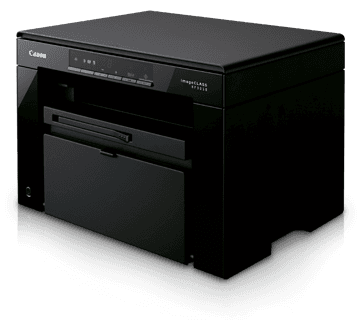
Need copy and scan too? The Canon imageCLASS MF3010 (Rs. 34,000) uses the same Cartridge 325.
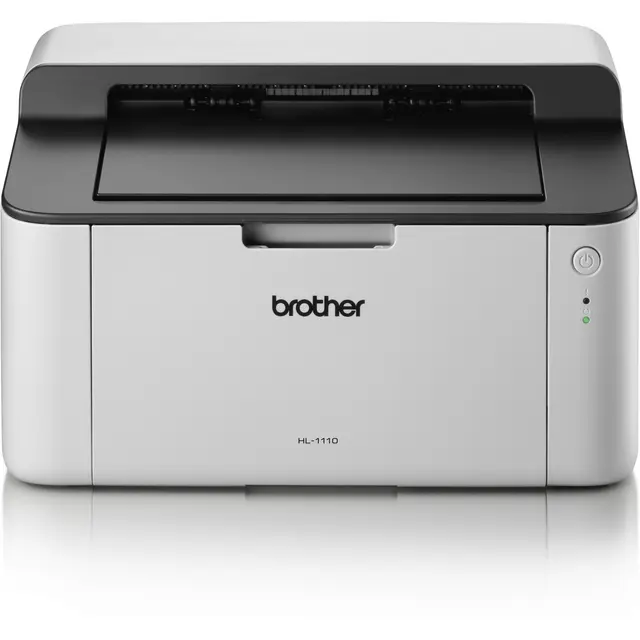
Cheaper USB laser: the Brother HL-1110 (Rs. 15,000).
Wi-Fi laser: the Deli P1820W (Rs. 22,500).
See all laser printers, printer ink and toner and Canon printers, or compare every model in our printer price list.
Canon LBP6030 Driver FAQ
Where can I download the Canon LBP6030 driver?
From Canon's support website: the table above links to the official Windows 11 and 10 drivers (64-bit and 32-bit) and the Mac driver, and Canon's LBP6030 downloads page has the files for older macOS versions and Linux.
Is the Canon LBP6030 driver free?
Yes. Canon's drivers are free to download from Canon's website.
Does the Canon LBP6030 driver work on Windows 11?
Yes. Canon lists Windows 11 for the 64-bit UFRII LT Printer Driver V21.11, released on 31 January 2025. Windows 11 has no 32-bit version, so use the 64-bit driver.
Is there a 32-bit Canon LBP6030 driver for Windows 10?
Yes. Canon's 32-bit UFRII LT Printer Driver V21.11 supports 32-bit Windows 10; it is the second row of the download table.
Is the Canon LBP6030 driver CAPT or UFRII LT?
UFRII LT. Install the UFRII LT Printer Driver; CAPT drivers are for other Canon models.
Does the Canon LBP6030 have Wi-Fi?
No, the LBP6030 connects by USB only. The LBP6030w is the Wi-Fi version and uses the same driver.
Can I print from my phone with the Canon LBP6030?
Not directly: it has no Wi-Fi or Bluetooth, and Canon's phone apps need a network printer. Send the file to the computer it is connected to and print from there, or choose a Wi-Fi printer such as the Deli P1820W.
Which toner does the Canon LBP6030 use?
Canon Cartridge 325, which prints about 1,600 pages. The starter cartridge in the box prints about 700 pages.
Do I need to install the driver again after reinstalling Windows?
Yes. Download the driver again from the table and follow the Windows steps above, with the USB cable unplugged until the installer asks for it.
Need Printer Installation or IT Support?
We offer printer installation, configuration and maintenance, Windows and software installation and IT support services in Kathmandu. Visit our store at Putalisadak, open every day from 10 am to 8 pm, or contact us.
More driver guides: Canon G4780 driver download, Canon PIXMA G2010 driver download and Deli M1820W driver download.