
In this article
- 1. Check Windows Activation
- 2. Activate Windows
- Digital License
- Product Key
- Upgrade Windows Home to Pro
- 3. Reactivate Windows After Hardware Changes
- 4. Activate Microsoft Office
- Microsoft 365
- Office 2024 / Office 2021
- Check Office Activation
- 5. Common Activation Problems
- Why Genuine Activation Matters
- Need Windows & Office Support?
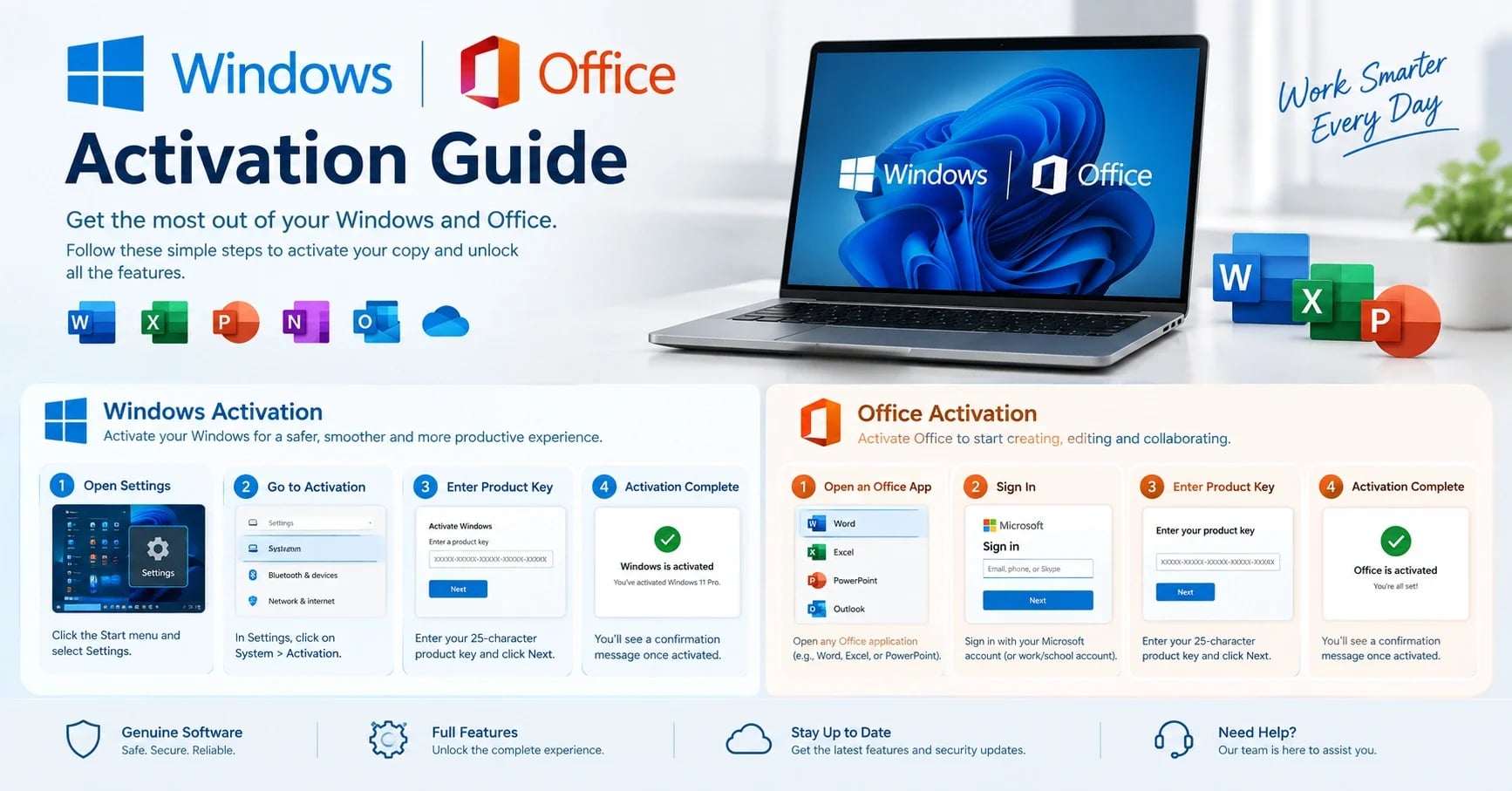
A simple guide to checking, activating, and troubleshooting Windows and Microsoft Office.
1. Check Windows Activation
Press Windows + I to open Settings.
Go to System → Activation.
Check the Activation state.
You can also check activation from Command Prompt:
slmgr /xpr2. Activate Windows
Digital License
If your laptop came with genuine Windows or you previously activated Windows on the device, connect to the internet. Windows may activate automatically.
If necessary, go to:
Settings → System → Activation → Troubleshoot
Signing in with the Microsoft account linked to your digital license can also help with reactivation.
Product Key
If you have a genuine 25-character product key:
Go to Settings → System → Activation.
Select Change product key.
Enter your key.
Click Next → Activate.
Upgrade Windows Home to Pro
Go to:
Settings → System → Activation → Upgrade your edition of Windows
You can enter a genuine Pro key or purchase the upgrade through Microsoft Store.
3. Reactivate Windows After Hardware Changes
After replacing major hardware such as the motherboard:
Sign in with the Microsoft account linked to your digital license.
Go to Settings → System → Activation.
Select Troubleshoot.
Choose I changed hardware on this device recently.
Select your device and activate Windows.
4. Activate Microsoft Office
Microsoft 365
Sign in at Microsoft 365 with your Microsoft account.
Install the Office apps.
Open Word or Excel.
Sign in with the same account.
Office 2024 / Office 2021
For a genuine product key:
Redeem the key through Microsoft's Office setup page.
Sign in with your Microsoft account.
Install Office.
Open Word or Excel and sign in.
Check Office Activation
Open:
Word → File → Account
Under Product Information, check the activation status.
5. Common Activation Problems
Problem | Solution |
|---|---|
Windows not activated | Check internet, edition, license and run Activation Troubleshooter |
Product key rejected | Verify the key and Windows edition |
Activation after motherboard replacement | Use the Microsoft account and hardware-change troubleshooter |
Office not activated | Sign in with the licensed Microsoft account |
Office installation conflict | Remove older Office versions and reinstall |
Why Genuine Activation Matters
Genuine Windows and Office licenses provide access to supported updates, security features and Microsoft's official support.
Avoid unknown activation tools and scripts that require administrator access, as they can introduce security and licensing risks.
Need Windows & Office Support?
Proud Nepal IT Suppliers Pvt. Ltd. provides Windows installation, Office installation, driver setup, activation support and computer troubleshooting.